

Colour Print Format
The colour model used in lithographic and digital print is known as CMYK. Designs for
The colour model used in lithographic and digital print is known as CMYK. Designs for

Lithographic and digital printing use a wide range of materials and sizes, and it’s important

Preparing your files for print can seem confusing to the uninitiated. Follow our quick checklist
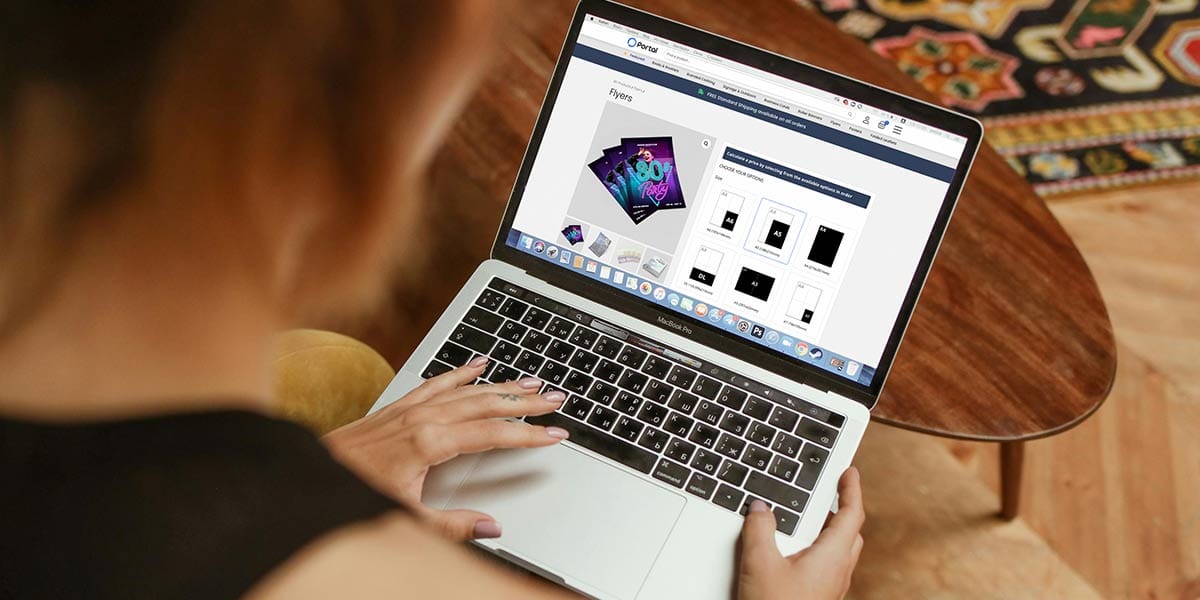
The first step is to choose your required product from our range.
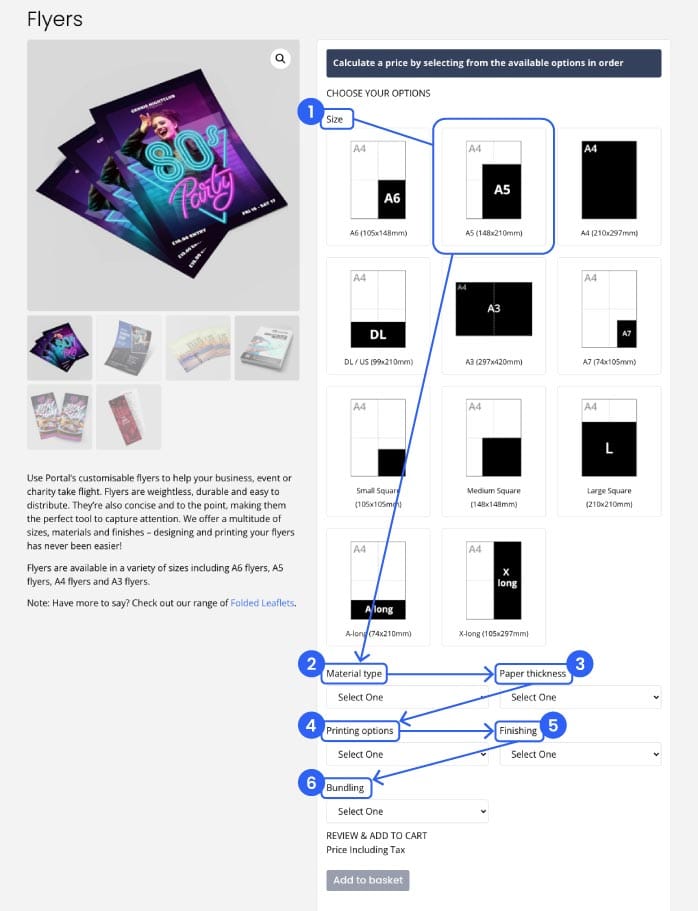
To calculate a price you will need to select options specific to the product in order starting at the top left. When purchasing flyers, for example, you will need to select a size first, then a Material Type, Paper Thickness, etc, as seen in the image below.
Once a price is loaded, choose your quantity from the list.
At this point you can add your artwork. Don’t worry if you don’t have finalised artwork yet; it can always be added later once the order is complete, either from the Account dashboard or by emailing us the file (don’t forget to include your order number). Your confirmation of order email should also have a link to upload any artwork.

The ‘Add to basket’ button will now become clickable.
Once all items are added to your basket, you are ready to check out. Basket contents can be viewed from a button link in the main menu or the basket icon located in the site header. Your Basket contains an overview of your selected products. Check your order details and then click through to Proceed to Checkout.
At Checkout you can fill in your personal details including postal address and any order notes (if applicable) and add a payment method from the list of available options. You can also create an Account for easier order tracking and viewing past orders if desired.

When you’re ready to go, click ‘Place order’ to submit your order.
We will send your an order confirmation (if you don’t recieve one, check your spam folder), and another email once your product has shipped.
If you have any problems placing an order, get in touch through the Contact page and we’ll be happy to advise.
Need to submit a manual order? Find this button on our Contact page:

We’ll quote and process your order manually then invoice to be paid by bank transfer. Please note: manual order payments need to clear before the order can be processed.